Cromo Keynote Template: 150 Slides for Modern Presentations
Creating a professional presentation from scratch often feels like an overwhelming task, especially when you are balancing content creation with visual design. The Cromo Keynote Template solves this friction by providing a comprehensive, pre-designed framework that allows you to focus on your message rather than pixel alignment. At its core, this resource is a massive collection of 150 total slides organized into five distinct premade color themes. Instead of offering a single aesthetic, it functions as five separate templates in one package, giving you immediate access to varied visual identities without needing to purchase multiple assets.
For professionals, educators, and creators, the primary value lies in the balance between structure and flexibility. Each of the five color variations includes 30 unique slides, ensuring that you have specific layouts for every part of your narrative. Whether you are pitching a startup idea, teaching a university lecture, or showcasing a creative portfolio, the template provides the necessary scaffolding. It removes the guesswork from design consistency while remaining fully editable, allowing you to adapt the handcrafted infographics and master slides to fit your specific branding guidelines or personal style.
Understanding the Slide Architecture and Layouts
The sheer volume of 150 slides can seem daunting until you understand how they are categorized. The template is not just a repetition of similar layouts; it is engineered to cover the entire lifecycle of a presentation. You will find dedicated section break slides that help organize long-form content into digestible chapters. These transitions are crucial for maintaining audience engagement during detailed talks. Additionally, the inclusion of gallery and portfolio slides makes this tool particularly useful for visual storytellers who need to display images cleanly without clutter.
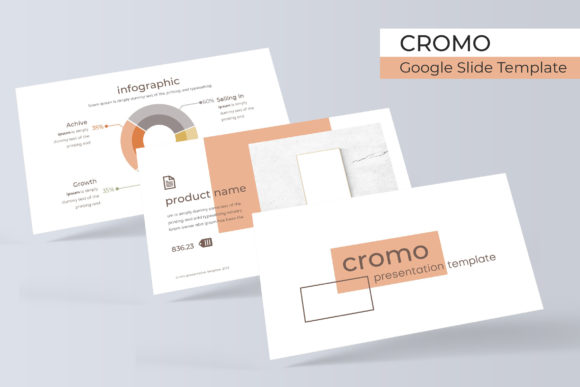
Data visualization is another area where this template excels. Rather than relying on standard charts, it features handcrafted infographics designed directly within Keynote. This means the graphics are native vector objects, not flattened images. You can resize, recolor, and edit these elements just as easily as text boxes. For users who need to present statistics, timelines, or process flows, these pixel-perfect illustrations save hours of custom illustration work. Because they are built on master slides, global changes to fonts or colors can propagate across these complex graphics instantly, maintaining visual harmony throughout the deck.
Streamlining Workflow with Master Slides and Drag-and-Drop
Efficiency is often more important than raw creativity when working under a deadline. Cromo leverages Keynote’s master slide functionality to streamline the editing process. When you drag and drop content into the resizable picture placeholders, the template automatically handles masking, cropping, and alignment. This feature is invaluable for beginners who may struggle with manual formatting, but it also serves experienced designers who want to prototype ideas rapidly. The placeholders are intelligent, ensuring that your photos maintain their aspect ratio and visual integrity regardless of the layout you choose.
The workflow benefits extend to the organizational structure of the files. Since the template is divided into five separate KEY files based on color variation, you avoid the performance lag that sometimes occurs with massive, singular presentation files. You can open only the color theme you intend to use, keeping your workspace clean and responsive. If you decide to switch themes mid-project, having separate files makes it simple to copy and paste slides between documents while retaining their formatting properties. This modular approach supports an agile creative process where experimentation is encouraged.
Practical Applications Across Different Industries
The versatility of having five distinct color palettes means this template adapts to diverse professional contexts. A marketing agency might utilize the bold, high-contrast variation for a client pitch deck, while an educator could select a softer, muted palette for a semester-long course curriculum. Freelancers and consultants often find the portfolio sections essential for case study presentations, where the layout needs to highlight results and testimonials clearly. Small business owners can use the infographic-heavy slides to explain complex services or product features to potential customers without resorting to dense text.
Beyond commercial use, the template serves personal and educational goals effectively. Students preparing thesis defenses benefit from the structured section breaks and data slides, which help impose academic rigor on their visual aids. Hobbyists and bloggers creating content for social media or webinars can repurpose the widescreen slides as video backgrounds or carousel posts. The key is recognizing that the template is a starting point, not a final destination. Its neutral yet modern typography and spacing allow it to blend seamlessly into various niches without looking generic.
Essential Considerations Before You Begin
While the Cromo Keynote Template is designed for ease of use, there are practical details to consider to ensure a smooth experience. First, verify that your version of Apple Keynote supports the latest master slide features to guarantee full compatibility. The package includes a Readme First file that acts as your user manual; skipping this step is a common mistake. This document contains vital information, including direct download links for the free fonts used in the design. Installing these typefaces before opening the presentation is mandatory to prevent font substitution warnings and layout shifts.
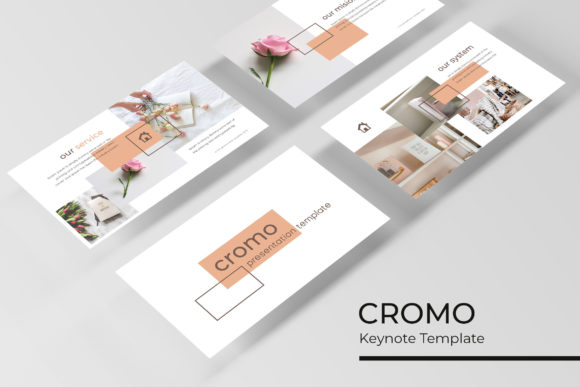
It is equally important to manage expectations regarding imagery. All photographs and pictures seen in the preview materials are for illustration purposes only and are not included in the download. This is standard practice for presentation templates due to licensing restrictions, but it requires you to have your own visual assets ready. Plan your image selection before you start designing to maintain momentum. Fortunately, the resizable graphic placeholders make it easy to test different photos quickly. By preparing your content and assets in advance, you transform this template from a static file into a dynamic communication tool that elevates your professional presence.
- File Structure: Includes 5 individual KEY files and 5 widescreen versions for maximum compatibility.
- Customization: Fully editable vectors and master slides allow for deep personalization without breaking layouts.
- Typography: Relies on free, high-quality fonts with download links provided in the documentation.
- Visual Assets: Picture placeholders are drag-and-drop ready, but stock photography must be sourced separately.
- Scalability: Handcrafted infographics remain crisp and clear at any resolution or screen size.